Getting started
Open the app, press Play loop (or Space), and listen. Then change one thing at a time on the left and hear what it does. Every setting has a ? next to it that explains it, and Explain at the top shows those explanations everywhere at once, which is useful when you are learning a new area.
A good first routine:
- Pick ii–V–I and a key you know.
- Loop it and sing the target notes (the labelled notes on beat 1).
- Mute the right hand in Sound and mix and play the line yourself.
- Press Next key and do it again, round the circle of fourths.
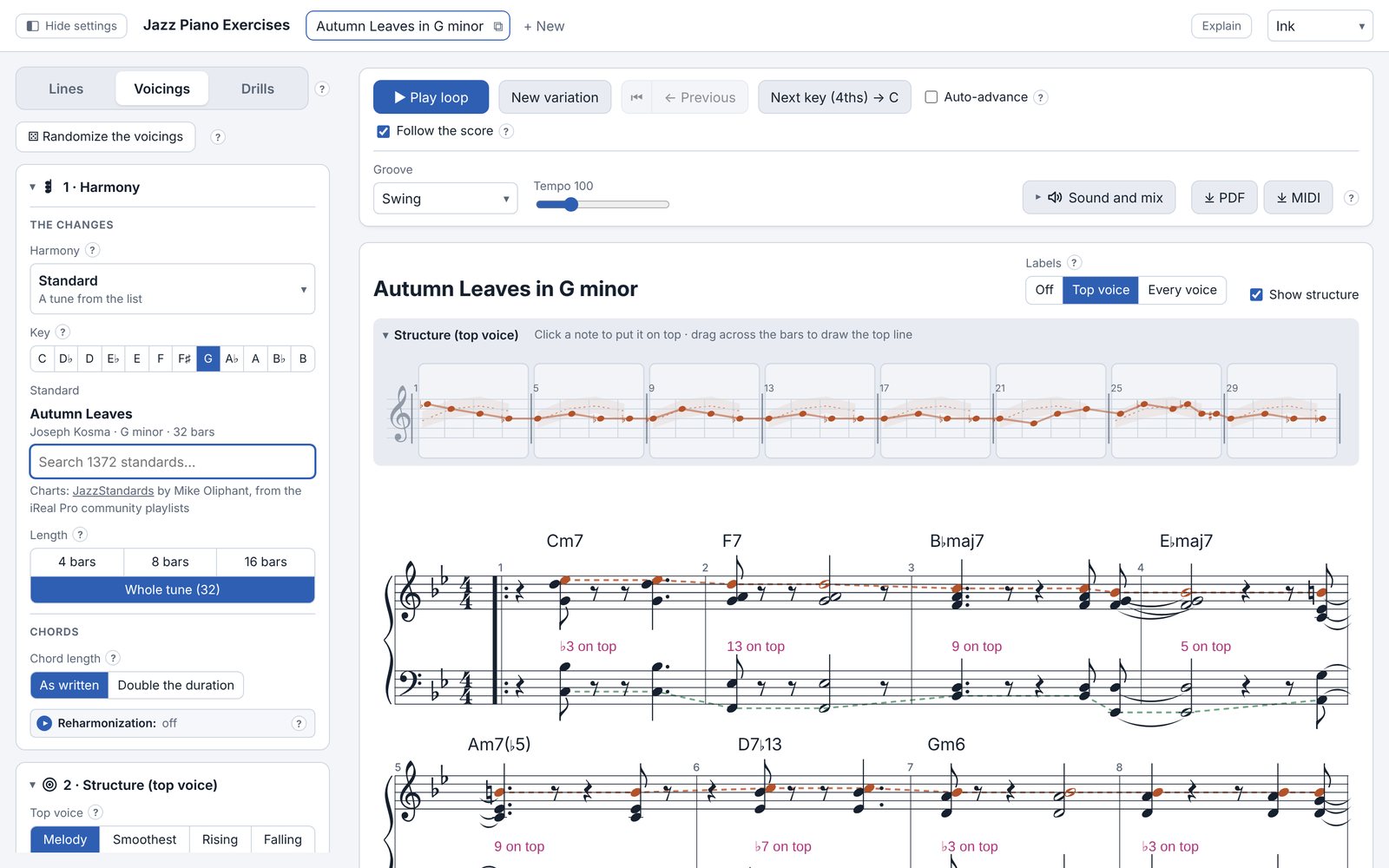
The screen
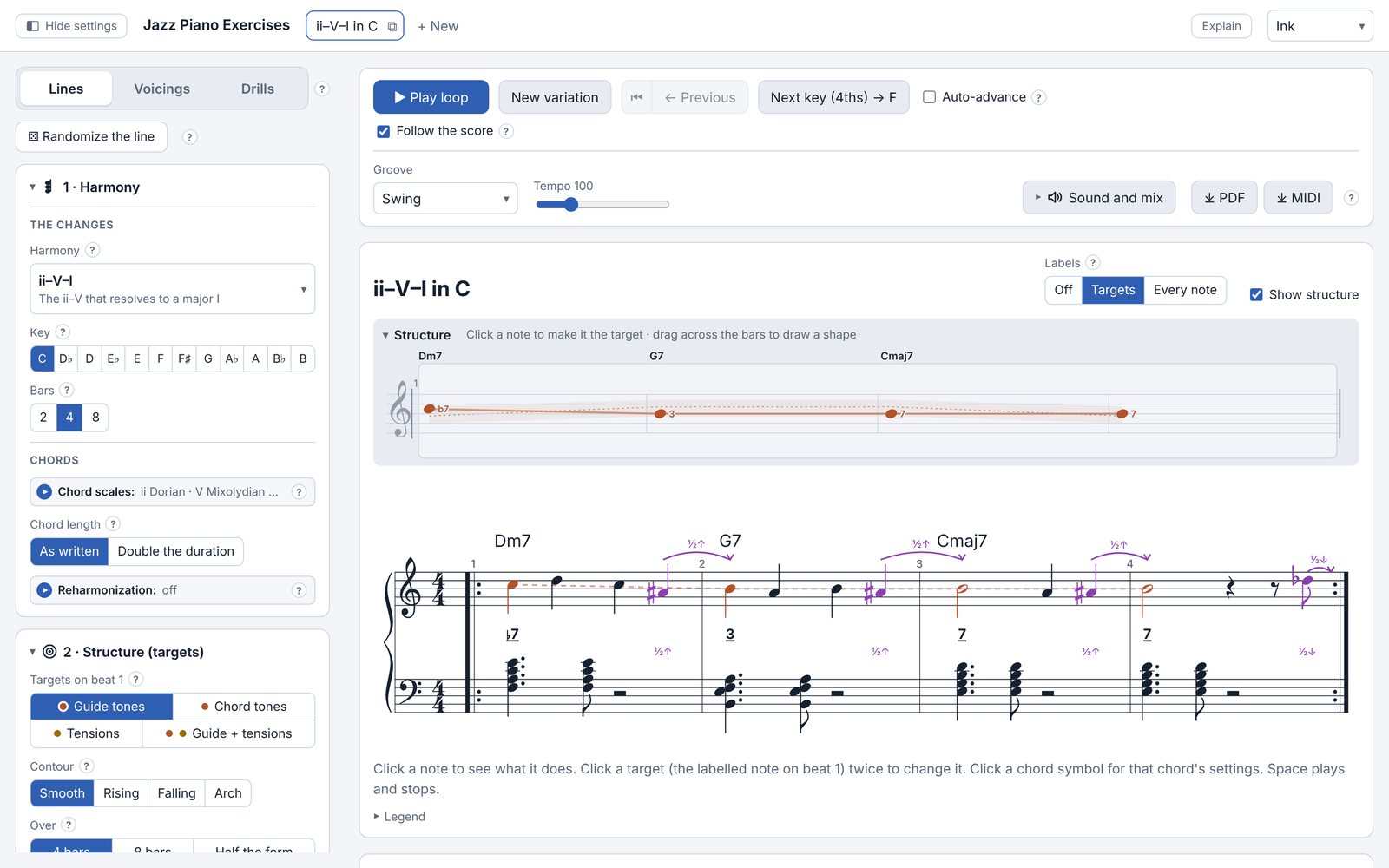
- Hide settings (top left)
- Folds the settings panel away, so the transport and the score sit centred at full width while you play. Show settings brings it back.
- Mode tabs (top left)
- Lines, Voicings and Drills. Each has its own settings below it, in numbered sections you can fold away.
- Transport (top right)
- Play, a new variation of the same settings, back to earlier variations, and the next key. Groove, tempo, sound and saving sit underneath.
- The score
- The exercise as notation. Labels shows the degree of the targets or of every note. Click a note to see what it does; click a target twice to change it; click a chord symbol for that chord's settings.
- Structure
- The skeleton above the score: one target per bar (in Voicings: the top voice). Click to move a target, or drag across the bars to draw a shape.
- Theory
- Below the score: what you are practising and why. See the theory panel.
Lines
A continuous right-hand line over the changes, built in layers: the harmony, the target notes on each chord, how the line moves between them, and what the left hand and the bass play.
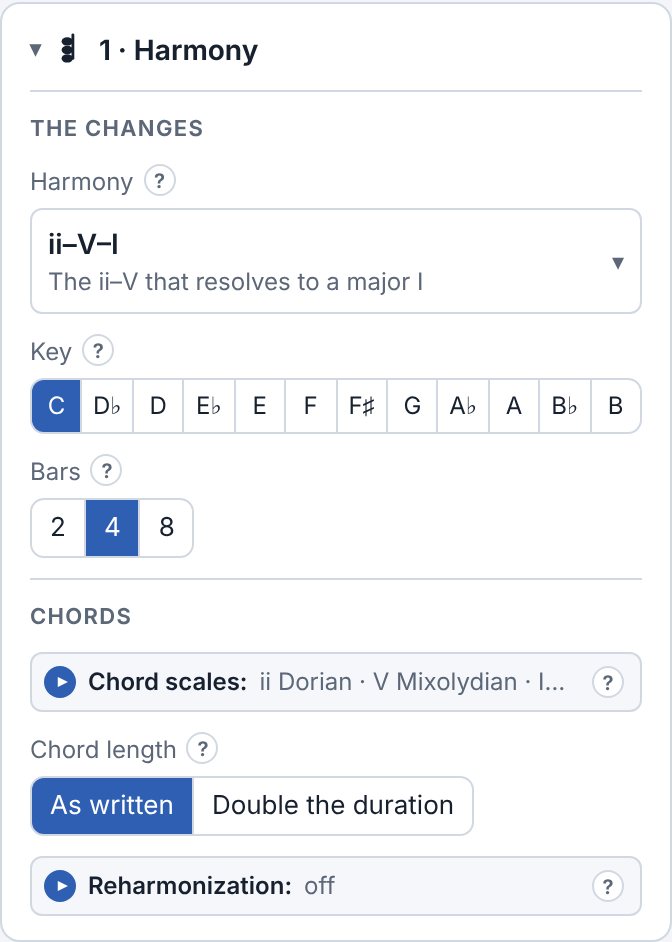
1 · Harmony
- Harmony
- The changes: one chord, a ii–V–I (major or minor), the blues, and in the full version turnarounds, dominant chains, rhythm changes, Coltrane changes, modal tunes and about 1,300 standards.
- Key and bars
- Any of the 12 keys, and how many bars the exercise lasts.
- Chord scales
- Which scale each chord is played with (ii Dorian, V Mixolydian, or an altered V…). The line takes its notes from these scales.
- Chord length
- As written, or every chord twice as long, for more room per chord.
- Substitutions and Reharmonization Full
- Swap chords for others that lead to the same place (tritone sub, backdoor, related ii…), or reharmonize under a held top note. Each change is listed bar by bar.
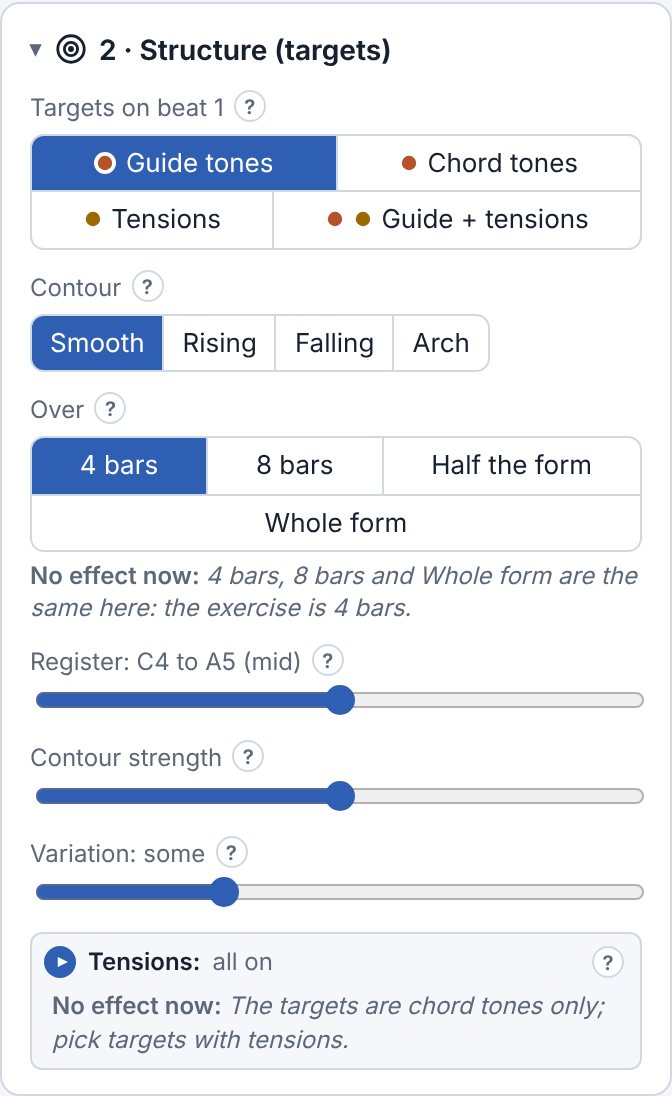
2 · Structure (targets)
- Targets on beat 1
- Which notes the line lands on at the start of each bar: guide tones (3rds and 7ths), chord tones, tensions, or a mix.
- Contour and Over
- The shape of the targets (smooth, rising, falling, an arch) and over how many bars that shape runs.
- Register and Variation
- How high the line sits, and whether the targets stay on the contour or wander around it.
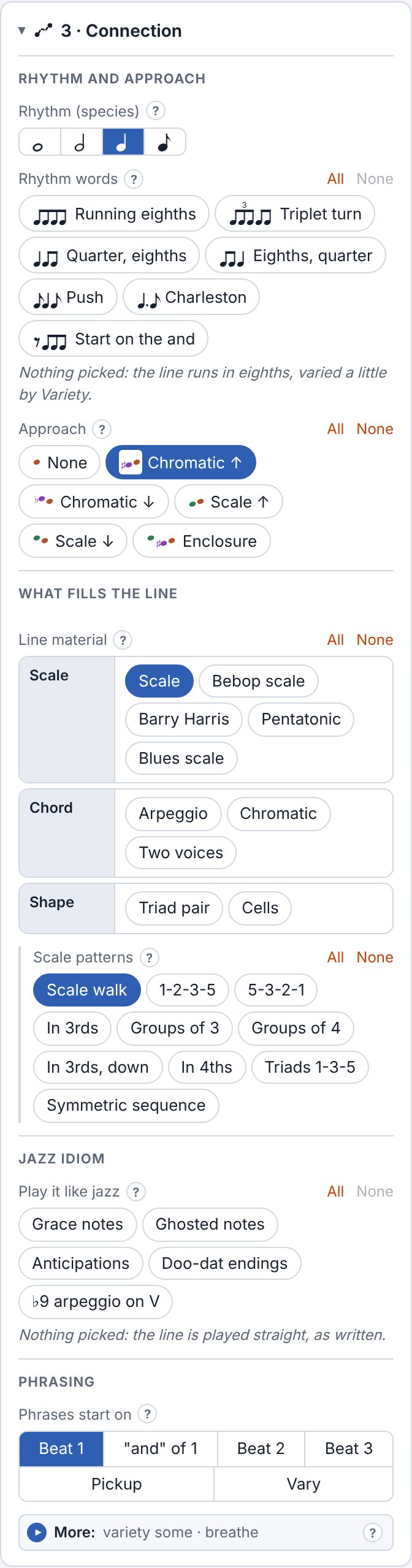
3 · Connection
- Rhythm (species)
- Whole notes, halves, quarters or eighths. Start with whole notes to hear the skeleton, then fill it in.
- Rhythm words
- Rhythmic cells the line is built from (running eighths, triplet turn, push…).
- Approach
- How the line arrives on each target: from a half step below or above, from the scale, or with an enclosure.
- Line material
- What fills the line: the scale, an arpeggio, chromatic notes, the blues scale, and in the full version bebop scales, Barry Harris, pentatonics, two voices, triad pairs and cells. Each has its own patterns.
- Play it like jazz
- Grace notes, ghosted notes, anticipations and phrase endings.
- Phrasing
- Where each phrase starts against the bar line, and how much the line breathes.
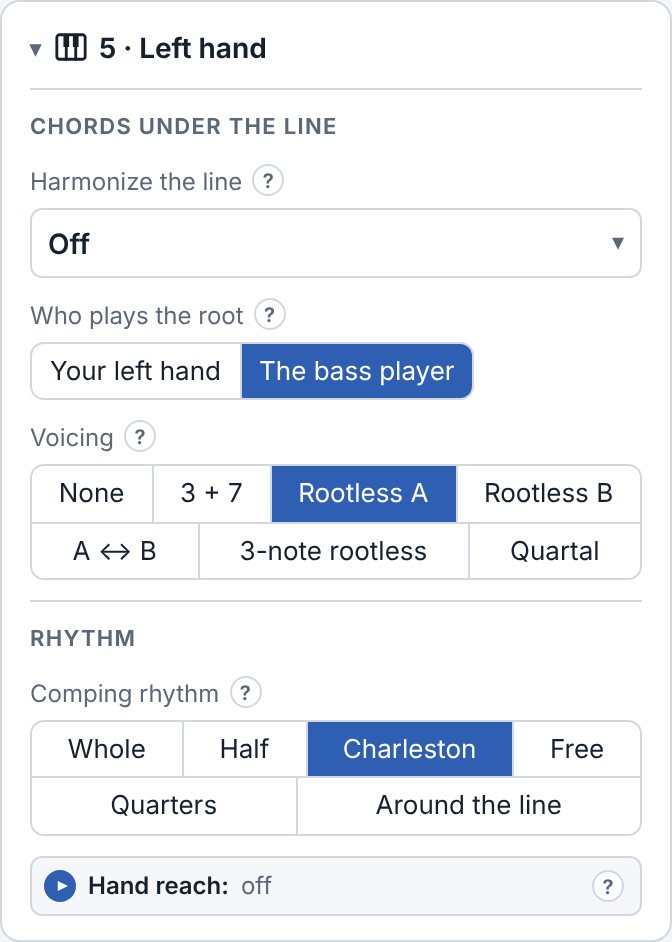
Left hand
- Who plays the root
- Your left hand, or the bass player (then the left hand plays rootless voicings).
- Voicing
- 3 + 7 shells, rootless A and B, three-note rootless, quartal.
- Comping rhythm
- Whole, half, Charleston, a free mix, quarters, and in the full version Around the line: chords on each change and in the gaps of the line.
- Harmonize the line Full
- Put a block chord (four-way close, drop 2…) under every note of the line.
- Hand reach
- Keep voicings within the stretch of your hand.
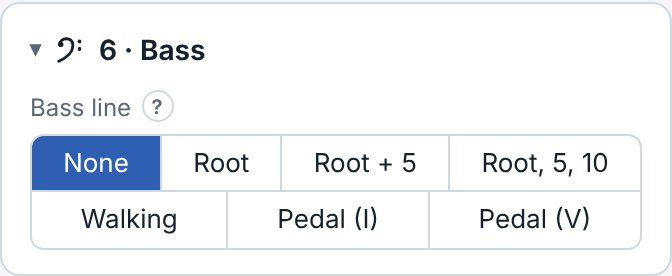
Bass
- Bass line
- None, the root, root and 5th, root–5–10, and in the full version a walking bass and pedal points.
- Feel
- Long notes, a two-feel, a broken two-feel, or in four.
Voicings
Both hands comp through the changes with a melody on top. The Harmony section is the same as in Lines; the Structure section shapes the top voice instead of the targets.
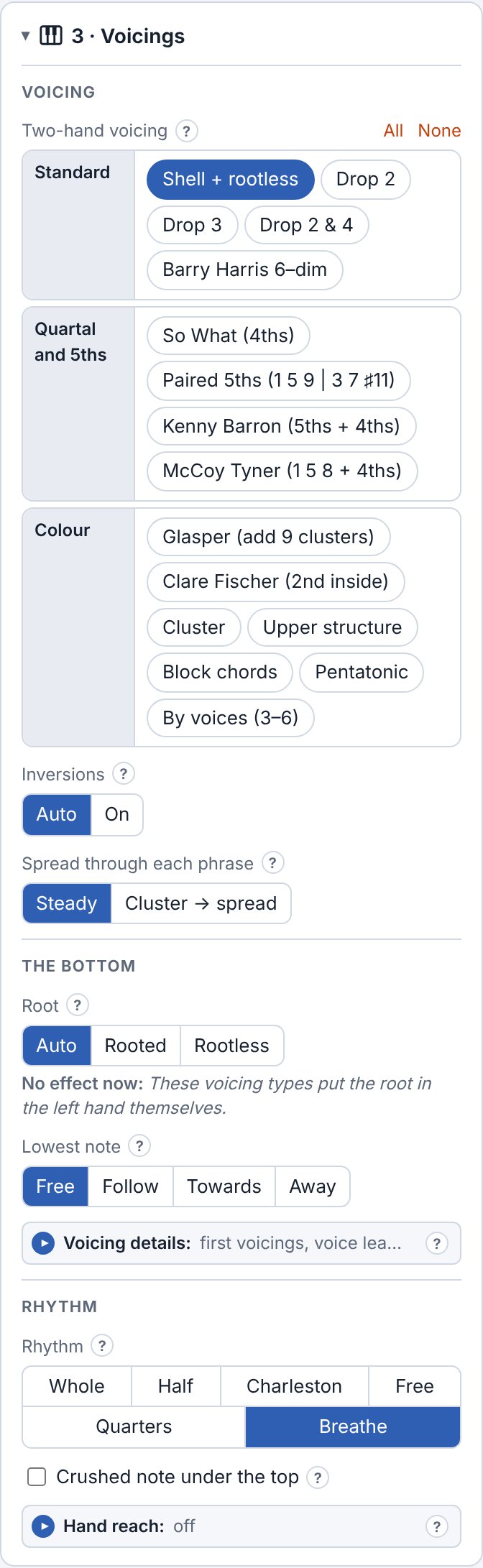
- Two-hand voicing
- Shell + rootless, drop 2, drop 3, drop 2 & 4 and So What voicings, and in the full version Barry Harris 6–dim, paired 5ths, Kenny Barron, McCoy Tyner, Glasper, Clare Fischer, clusters, upper structures, block chords, pentatonic voicings and voicings by number of voices. Pick several and each chord takes one.
- Inversions and spread
- Let the top voice pick the inversion, and keep the spread steady or let it open up.
- Root and lowest note
- Rooted or rootless, and how the lowest note moves against the top voice.
- Top voice (Structure)
- A singable melody, the smoothest voice leading, or a rising, falling or arched top line.
- Rhythm
- From whole notes to Breathe: varied comping with anticipations and inner voices that move on long chords.
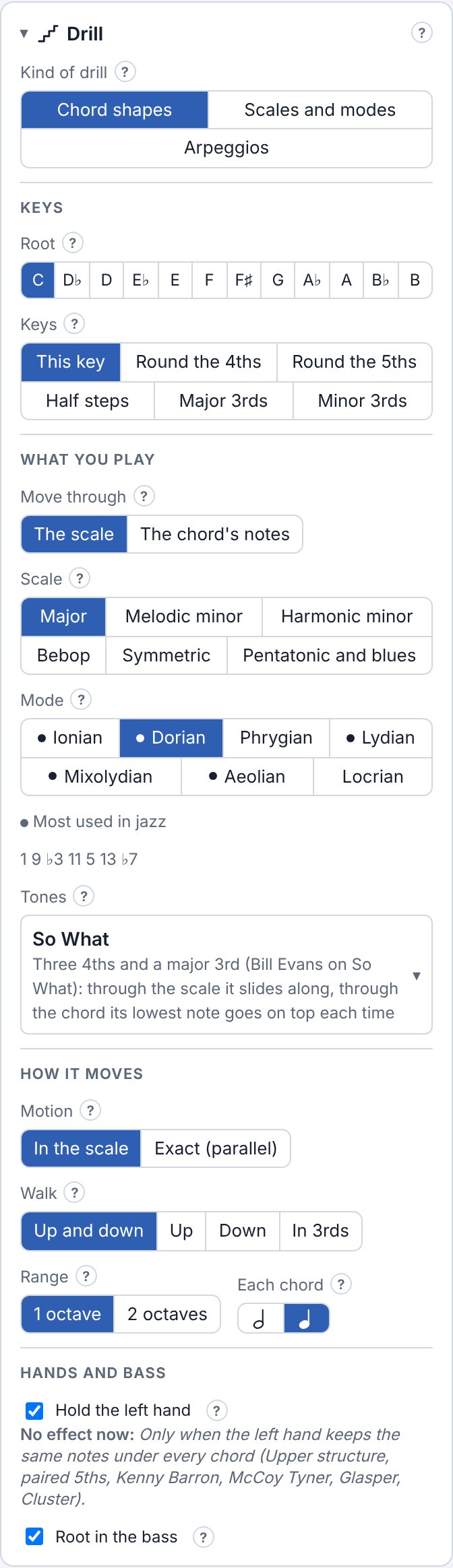
Drills Full
Technique: one shape walked through a scale, or a chord through its inversions.
- Kind of drill
- Chord shapes, scales and modes, or arpeggios.
- Keys
- This key only, or round the fourths or fifths, by half steps, or by major or minor thirds.
- Move through
- The scale (the shape changes quality as it climbs) or the chord's own notes.
- Scale and mode
- Major, melodic and harmonic minor, bebop, symmetric, pentatonic and blues, and their modes.
- Tones
- Which shape: triads, 7th chords, the Barry Harris 6th, 4ths, So What, and through a chord's own notes every voicing type of the Voicings mode.
Playing and practising
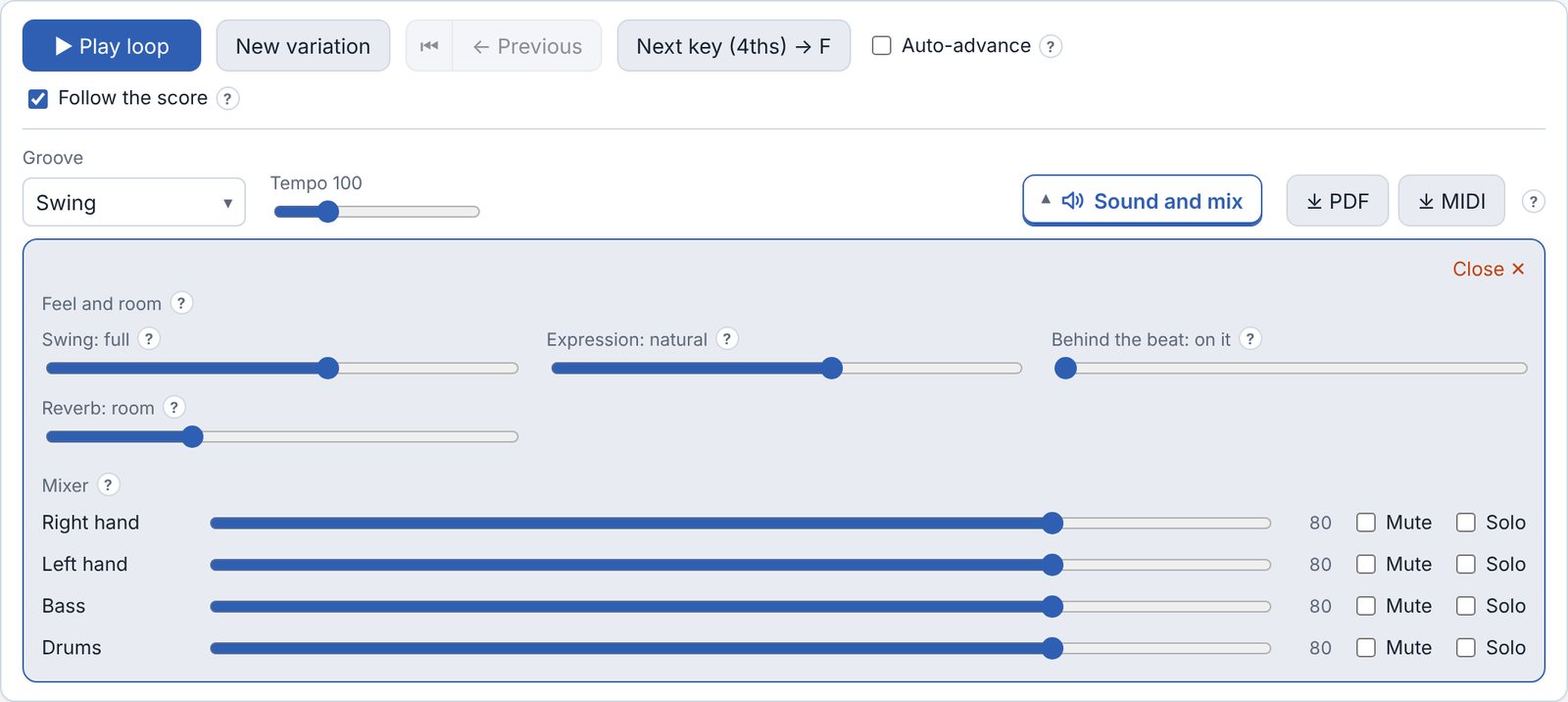
- Play loop
- Plays the exercise over and over. Space starts and stops.
- New variation, Previous
- A new exercise with the same settings, and back to the ones before.
- Next key
- The same exercise in the next key round the circle. Auto-advance moves on by itself after a number of passes.
- Follow the score
- Scrolls the score with the music.
- Groove and tempo
- Swing in the free version; ballad, bossa nova, straight eighths and Latin in the full version.
- Sound and mix
- The swing amount, expression, playing behind the beat, the room, and a volume, Mute and Solo for each part: right hand, left hand, bass and drums. Mute the right hand to play the line yourself.
Saving and tabs
- Tabs
- Each tab at the top is one exercise with its own settings; + New adds one and ⧉ copies the current one. Tabs are kept in your browser.
- PDF and MIDI Full
- The score on A4 pages, ready to print, or the music as a MIDI file with a track per part, for a DAW or a notation program.
The theory panel
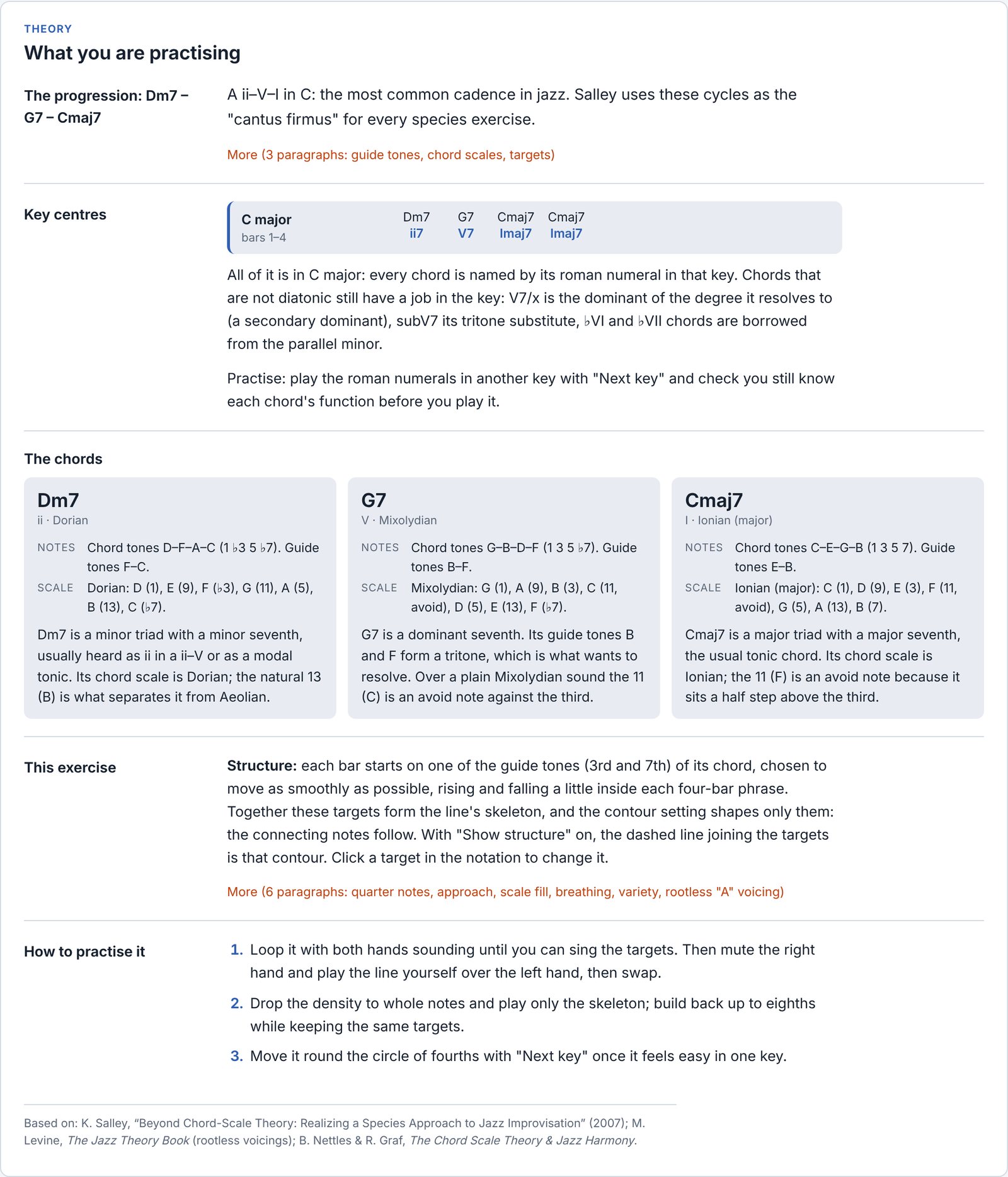
Below the score. It changes with every setting and explains the exercise on screen: the key centres with roman numerals, each chord with its notes and scale, what the exercise trains and why the notes are where they are, and how to practise it.
Free and full version
Settings of the full version show a small padlock. Picking one opens a panel that says what the full version adds, with a link to buy it and a field for your licence key.
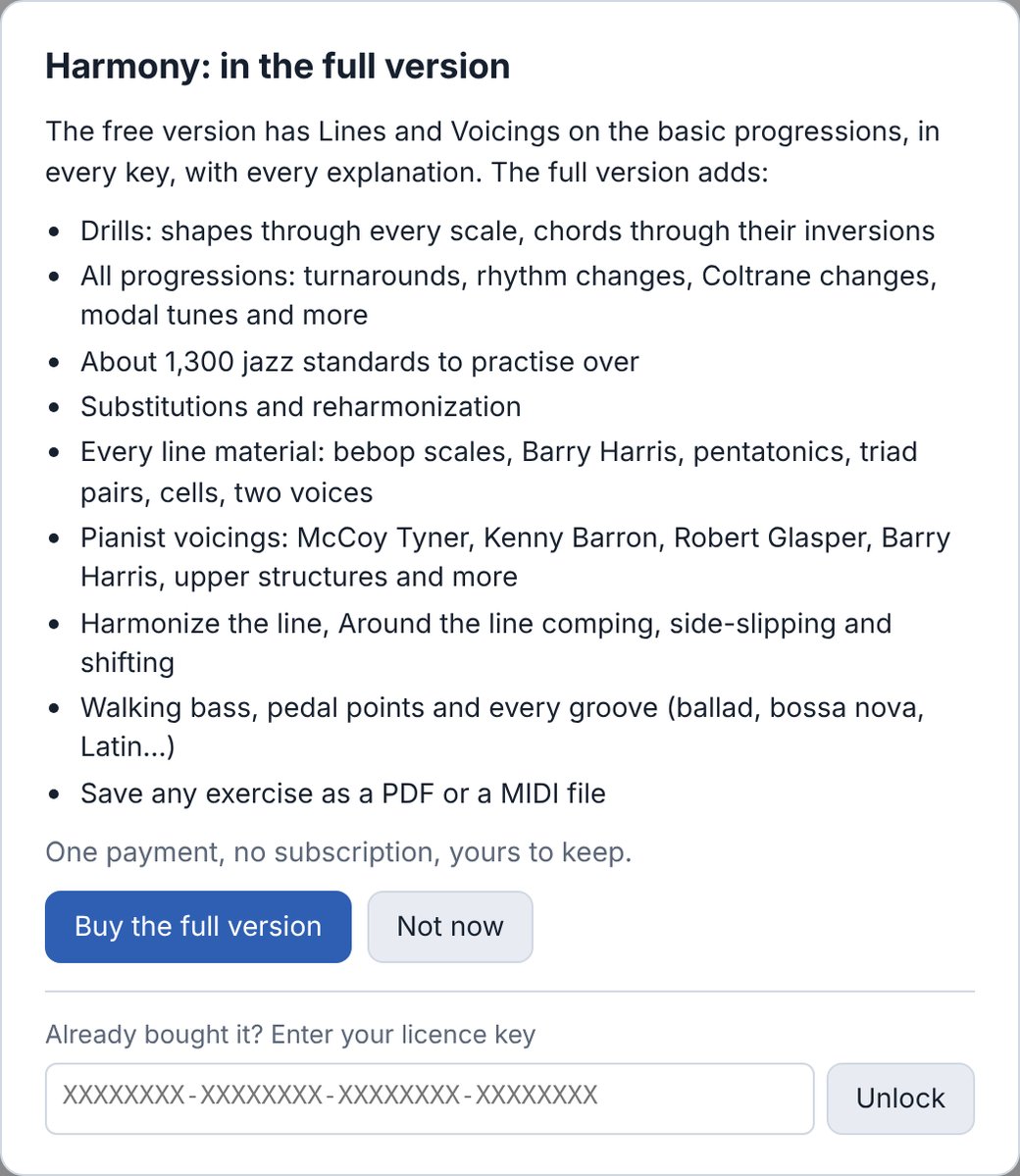
- Unlocking
- After buying, copy the licence key from your Gumroad receipt, click Free version · Unlock all at the top of the app, paste the key and press Unlock. The app stays unlocked in that browser.
- Another device or browser
- Enter the same key there. A key works on up to three devices.
- Cleared your browser data?
- Enter the key again.